Club websites
Your club’s website
A hosted WordPress site on your own address, built and maintained for you — with a competition calendar that can update itself. This guide covers ordering the site, editing everything on it, and managing it from your SportsBracket account.
Ordering your site
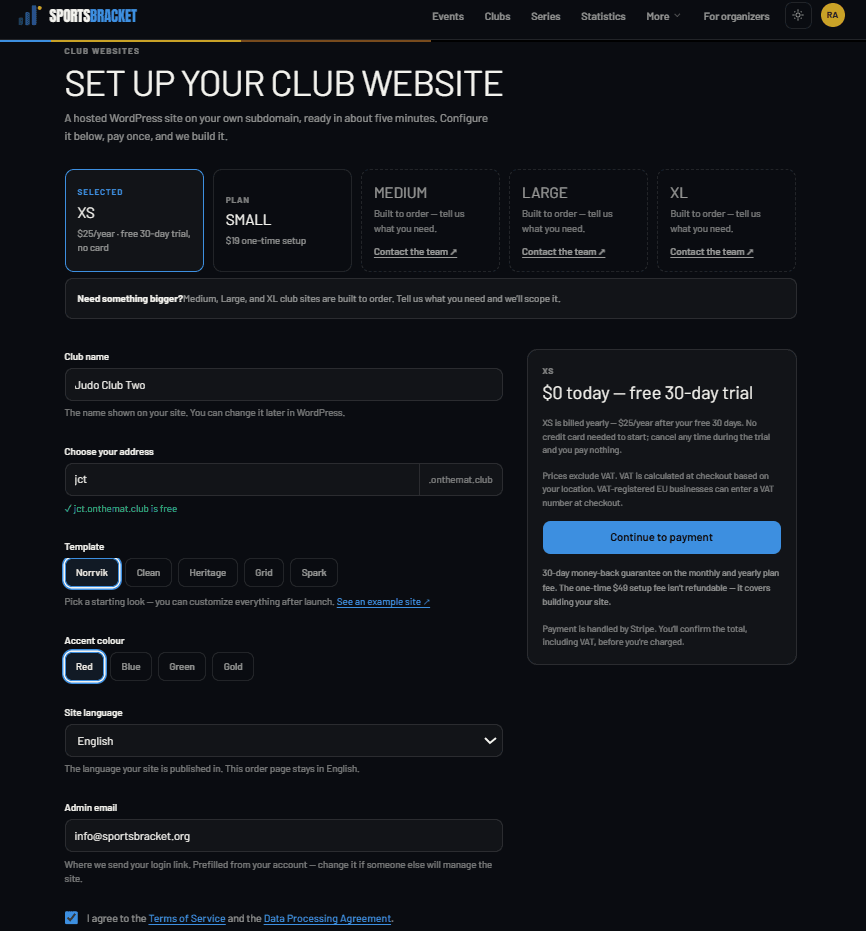
- Go to Club websites → Order and pick a plan. XS is a one-page site with a free 30-day trial — no credit card needed. Small is a full five-page site.
- Choose your address (yourclub.onthemat.club), template and colour theme, site language, and the admin email.
- Accept the terms and continue to checkout. Your site is usually ready in about five minutes — you can follow the progress on the order page.
Your first login
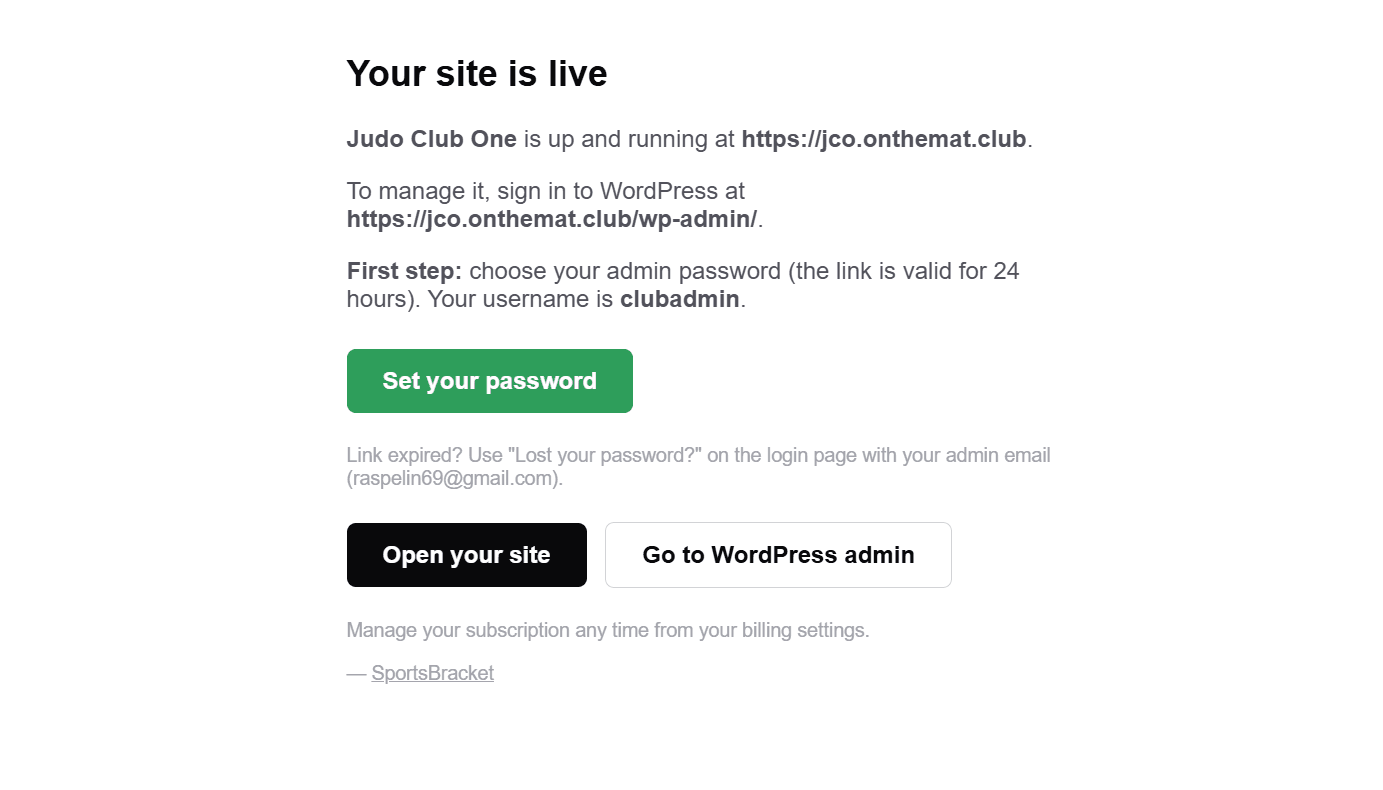
When the site is live you get an email with a Set your password button (valid 24 hours). Your username is clubadmin. After setting the password, sign in any time at yourclub.onthemat.club/wp-admin.
Editing your page — Site content
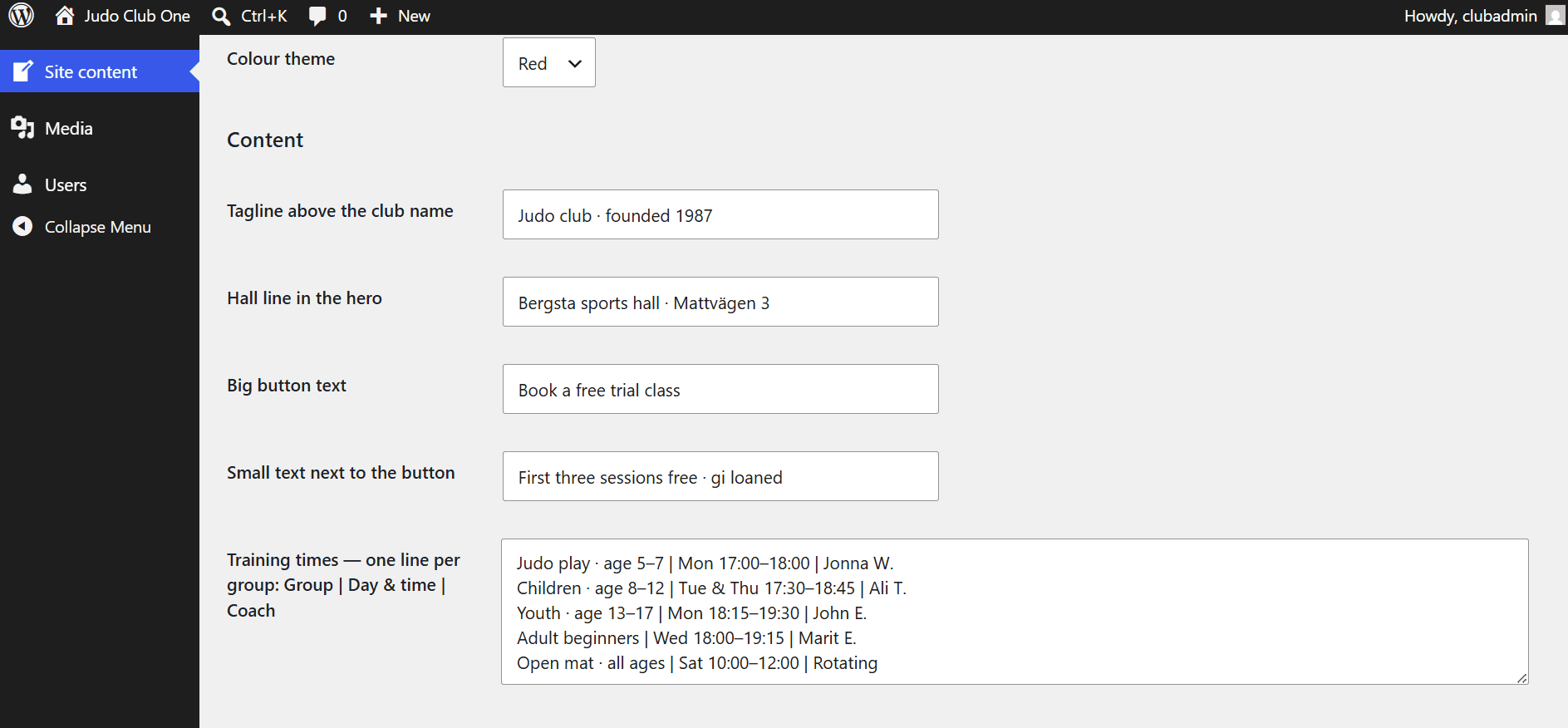
Everything on your page is edited in one place: Site content, the first item in the WordPress menu (you land there automatically when you sign in). Plain text only — nothing you type can break the design.
- Hero — tagline, hall line, and the big button’s text.
- Training times — one line per group, with a
|between the fields:Children · age 8–12 | Tue & Thu 17:30 | Ali. Add or remove lines freely. - Getting started — exactly three steps:
Title | Text. - Competitions — one line per event:
13 Sep | Autumn Cup | Solberga | Entries open. Leave the box empty to show a tasteful “no competitions yet” card. - Contact — address block, contact block, and optional Facebook/Instagram links.
Changing the look
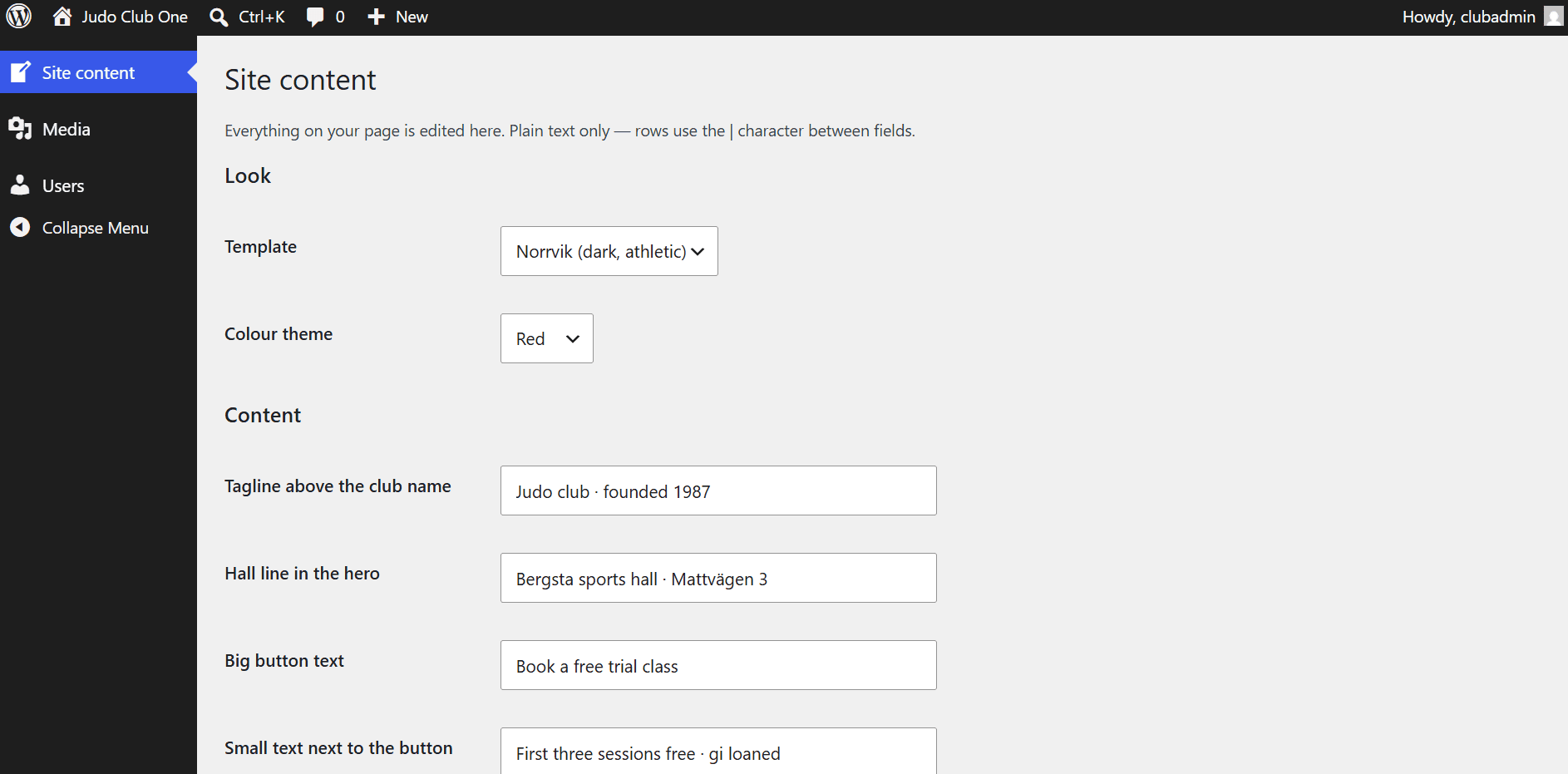
At the top of Site content you can switch template (five designs) and colour theme (four colours) at any time — the content stays, only the look changes. Try them on the live demo first if you like.
Logo and images
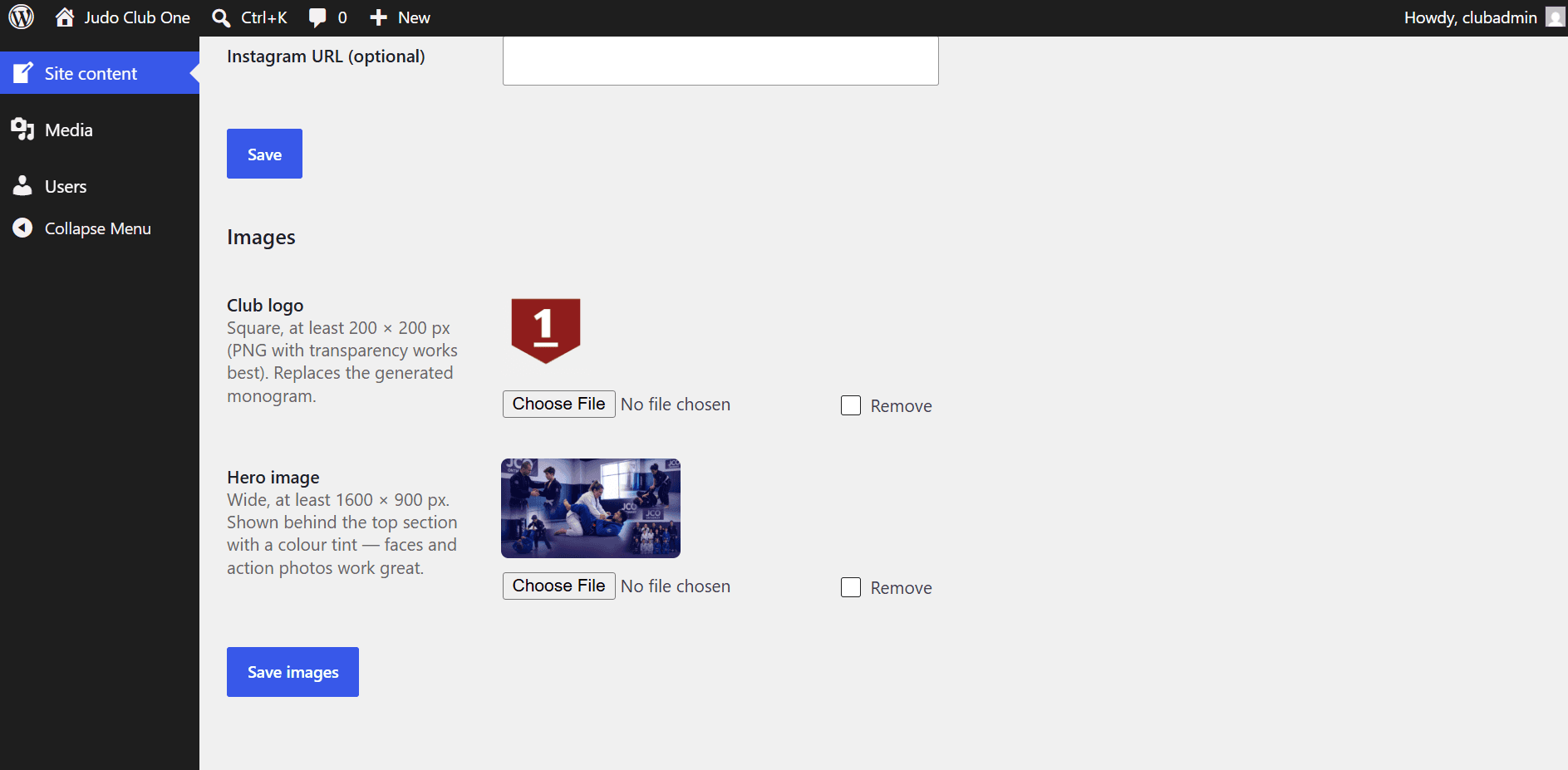
- Club logo — square, at least 200 × 200 px; PNG with transparency looks best. It replaces the generated monogram in the header and hero. No logo? The monogram (your initials in your colour) is always there as a stylish default.
- Hero image — wide, at least 1600 × 900 px. It appears behind the top section with a colour tint, so faces and action photos work great. Without one, the page uses a clean patterned background — never a broken image.
- Browser icon — generated automatically from your initials and colour. Upload a Site Icon under Media if you want your own.
Managing your site from SportsBracket
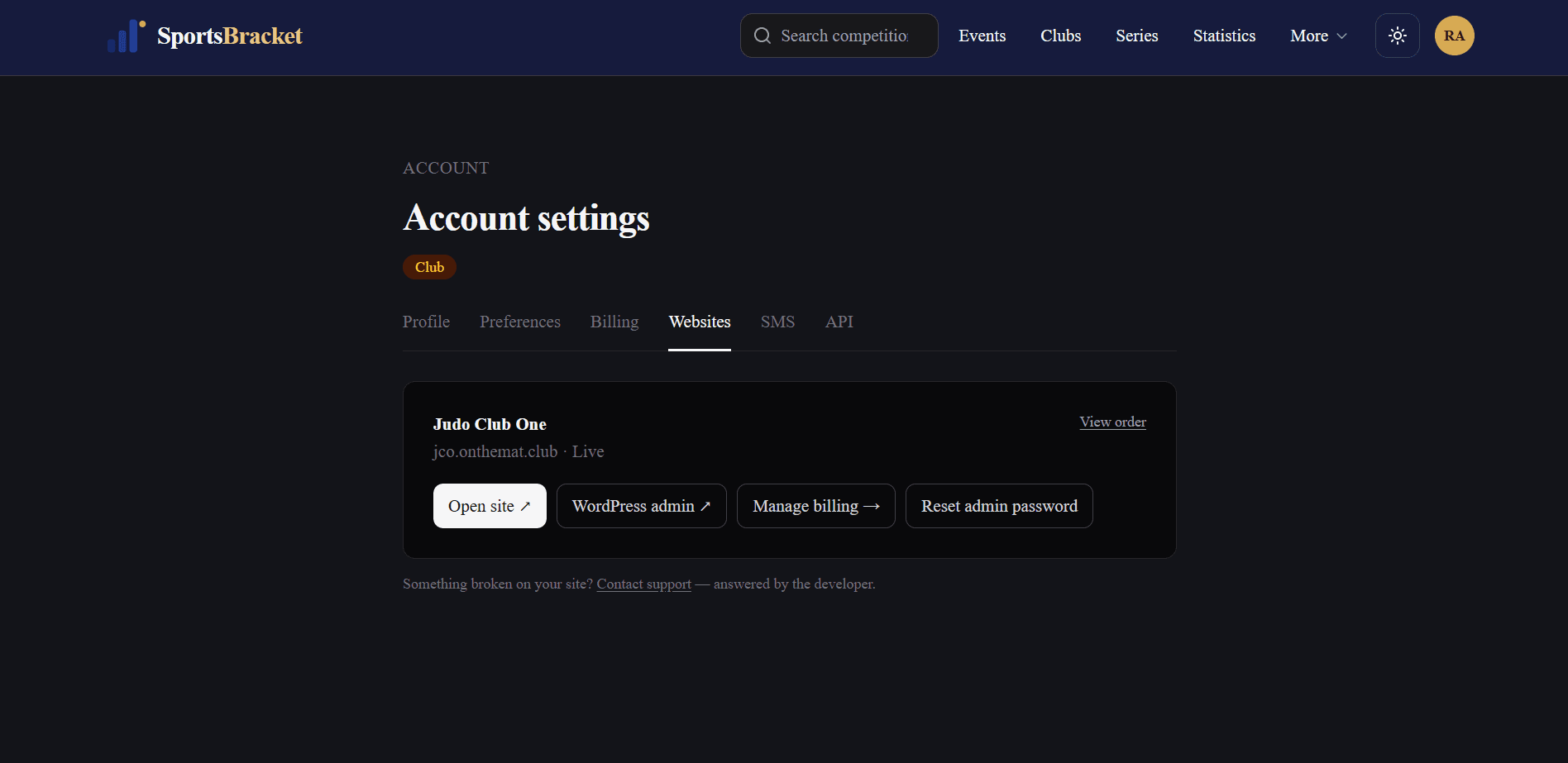
Your account has a Websites tab (Account → Websites) with everything in one place: open the site, go to WordPress admin, manage billing, and Reset admin password — which emails you a fresh set-password link.
Billing and cancelling
- Manage billing opens your invoice history and subscription. Cancel any time — the site stays up until the period you paid for ends.
- All plan fees have a 30-day money-back guarantee (setup fees and add-ons excluded).
- On the XS trial: cancel within 30 days and you pay nothing at all.
- When a subscription ends the site is paused. Your content is kept safely for a while — contact us if you change your mind.
Getting help
Email support answers within your plan’s response time — always by the developer who built your site, never a ticket queue. Use the support link on the Websites tab, or write to us directly.
Last updated: 11 August 2026